 HerbieGet Herbie
Your cats.
Their day.
A little pixel magic.
PixelHerb turns your cats into pixel companions on your Home Screen, with scenes connected to the care you record in Herbie.

Home Screen widgets are free. The Watch experience requires Herbie Pro.
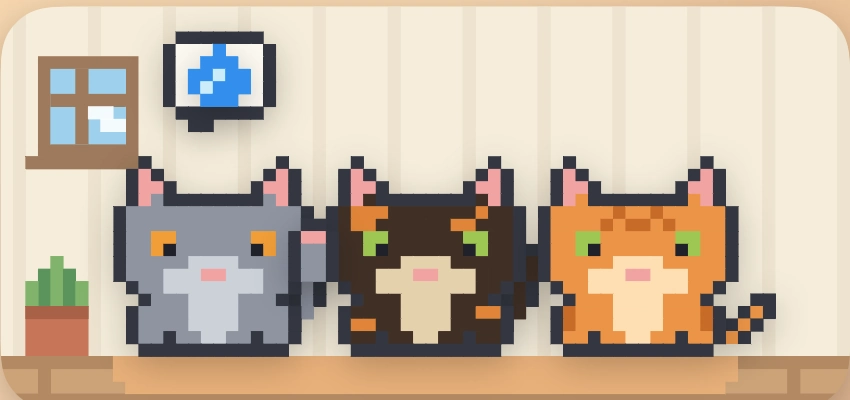
A little character.
A little context.
A little celebration on birthdays and National Cat Day. A gentle reminder when a routine hasn’t been logged.

A routine waiting.
A raised paw or care scene can reflect a routine that has not been logged. It cannot tell whether a meal actually happened.

A day to celebrate.
Birthday and National Cat Day scenes bring a little celebration to the Home Screen.
Herbie reflects your records; it doesn’t monitor your cat. iOS controls widget refresh timing, so changes may not appear immediately.
A coat to call
their own.
Choose a coat for your cat’s pixel companion. Prefer their real photo? The Portrait widget offers another way to bring them to your Home Screen.
Your first cat’s widgets are free. Herbie Pro lets you add a second cat and beyond.
See what’s free and what Pro addsAdd a little Herbie.
- Install Herbie and introduce your cat.
- Add the Herbie widget to your Home Screen.
- Edit the widget and choose PixelHerb as its style.
PixelHerb and Portrait widgets can record supported care without opening Herbie. The widget’s displayed state still follows iOS refresh timing.
Follow the widget setup guideA few good questions.
Does PixelHerb need Pro?
The iPhone Home Screen widget is included for free. The Apple Watch experience requires Herbie Pro.
Does a raised paw mean my cat hasn’t eaten?
No. PixelHerb reflects the routines recorded in Herbie. A meal may have happened without being logged.
Why hasn’t my widget changed?
Open Herbie to check the recorded care. Widget refresh timing is partly controlled by iOS, so updates may take time. See the setup guide for more help.
Which devices are supported?
iPhone and iPad running iOS/iPadOS 18 or later. The Pro Watch app requires watchOS 10 or later and a compatible paired iPhone.
A little care.
A lot of love.
Bring playtime, everyday routines and PixelHerb together in Herbie.
Get HerbieOpen on your iPhone or iPad
 Open Herbie on the App Store
Free to start · iOS / iPadOS 18 or later